Win7清理垃圾的代码是什么?Win7清理垃圾代码的使用教程
Win7系统的电脑在使用久了之后,会积累非常多的垃圾文件或数据,这个时候我们可以使用运行命令代码清理win7中的垃圾,那么Win7清理垃圾的运行代码是什么呢?下面就和小编一起来来看看吧。
Win7清理垃圾的代码教程
1、首先使用快捷键“win+R”打开运行窗口;
2、输入命令“cleanmgr”,回车确定打开清理窗口;

3、选择想要扫描清理的磁盘,单击“确定”即可运行;
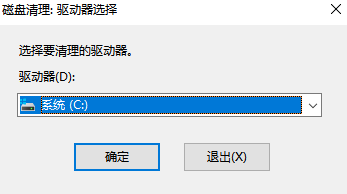
4、等待扫描完成;

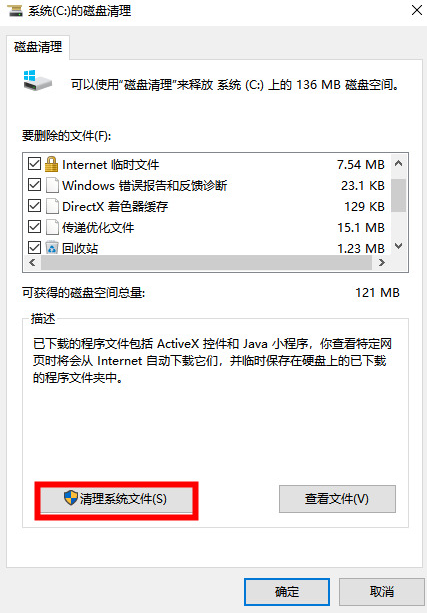
5、弹出窗口中选择你想要清理的文件,单击下方“清理系统文件”即可清理完成;
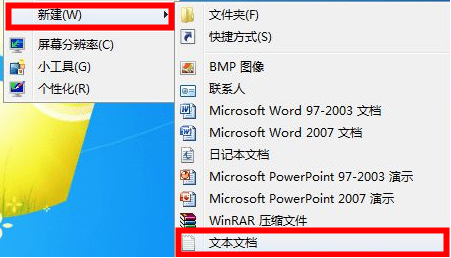
6、右键桌面鼠标滑动到“新建”,单击选择“文本文档”;
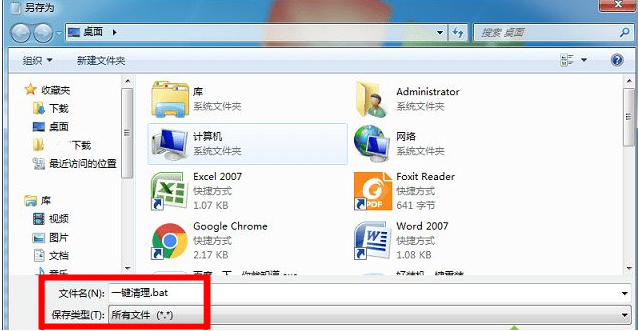
7、打开记事本文本文档,粘贴以下命令,单击左上角“文件”,选择另存为,并修改名字为“一键清理.bat”:
@echo off
echo 正在清除系统垃圾文件,请稍等。。。。。。
del /f /s /q %systemdrive%\*.tmp
del /f /s /q %systemdrive%\*._mp
del /f /s /q %systemdrive%\*.log
del /f /s /q %systemdrive%\*.gid
del /f /s /q %systemdrive%\*.chk
del /f /s /q %systemdrive%\*.old
del /f /s /q %systemdrive%\recycled\*.*
del /f /s /q %windir%\*.bak
del /f /s /q %windir%\prefetch\*.*
rd /s /q %windir%\temp & md %windir%\temp
del /f /q %userprofile%\cookies\*.*
del /f /q %userprofile%\recent\*.*
del /f /s /q “%userprofile%\Local Settings\Temporary Internet Files\*.*”
del /f /s /q “%userprofile%\Local Settings\Temp\*.*”
del /f /s /q “%userprofile%\recent\*.*”
echo 清除系统LJ完成!
echo. & pause

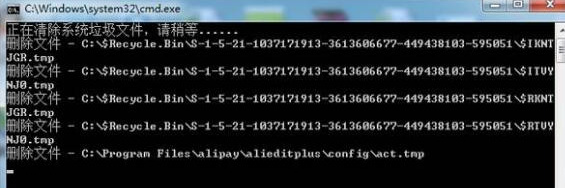
8、双击运行win7桌面上的“一键清理.bat”,等待其清理垃圾文件完成即可。
相关文章
- Win7实现远程关机的具体步骤
- Win7电脑要求的函数不受支持怎么解决?
- 怎么关闭Win7电脑UAC功能?教你一招轻松关闭Win7UAC功能
- Win7纯净版系统打开应用程序出现闪退是怎么一回事?
- Win7把pdf打印机删除了如何添加回来?
- 怎么解决Win7换不了桌面壁纸?Win7换不了桌面壁纸解决方法
- 怎么开启Win7快速启动栏?Win旗舰版快速启动栏操作方法
- 为什么Win7系统鼠标经常停顿一下?Win7系统鼠标经常停顿解决方法
- Win7纯净版开机卡在欢迎界面后黑屏怎么回事?
- 为什么Win7系统打不开软件?Win7系统打不开文件解决方法
- Win7 64位旗舰版使用photoshop时提示没有足够内存怎么办?
- Win7系统识别不了中文WIFI怎么办吧?
- win7系统tcpip.sys蓝屏修复方法
- win7系统电脑前面没有声音怎么办?
- Win7进入dos界面的操作教程
- Win7桌面文件名变蓝色的解决教程


